

Granting Access to Google Analytics
Granting access to Google Analytics is crucial for us to gain detailed insights into how users interact with your website, including which ads are performing well and how visitors behave on your website. This access allows for comprehensive analysis and informed decision-making to enhance your marketing strategies
Apr 14, 2024●
1
Navigate to https://analytics.google.com/analytics
2
Login to your Google Analytics account
3
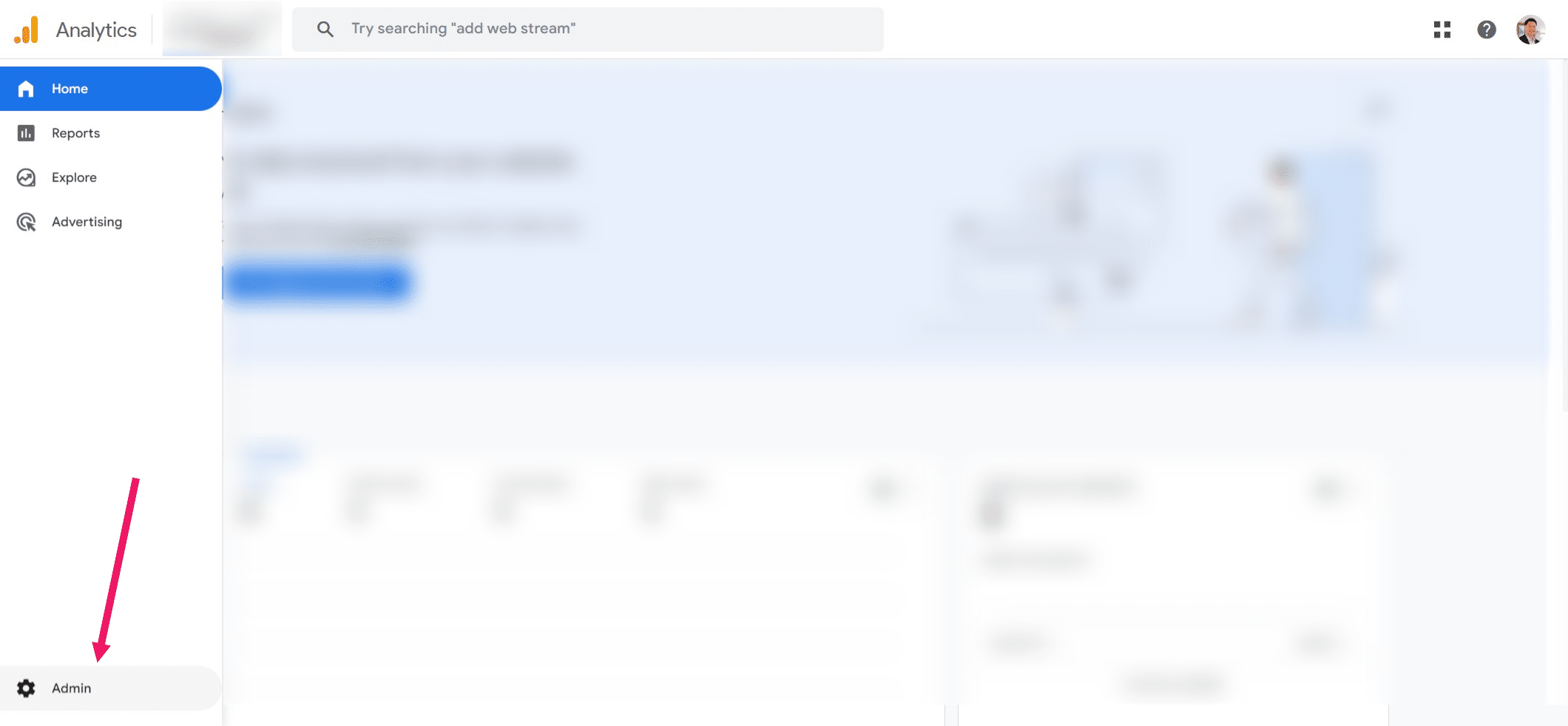
Click on "Admin" button on the bottom left corner ⚙️

4
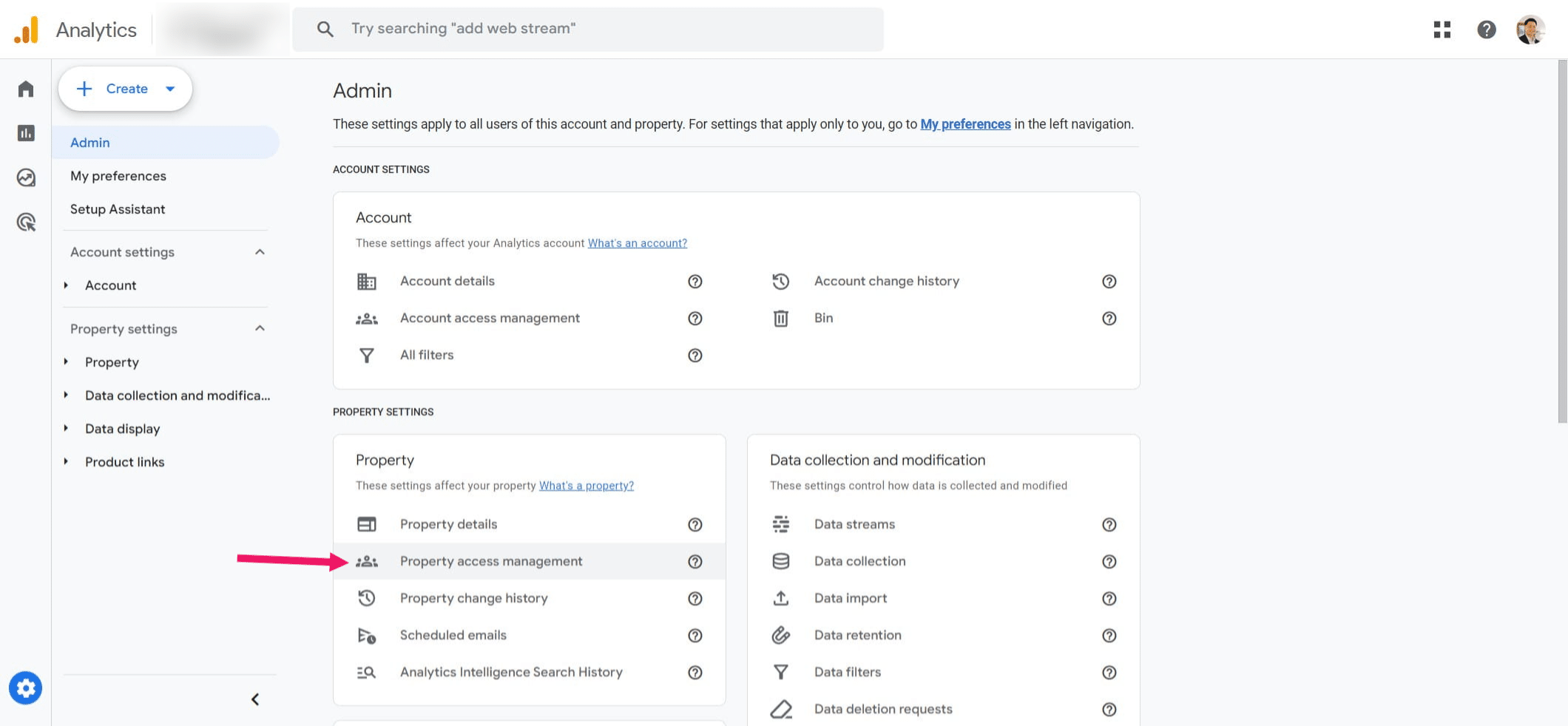
Click on "Property access management"
5
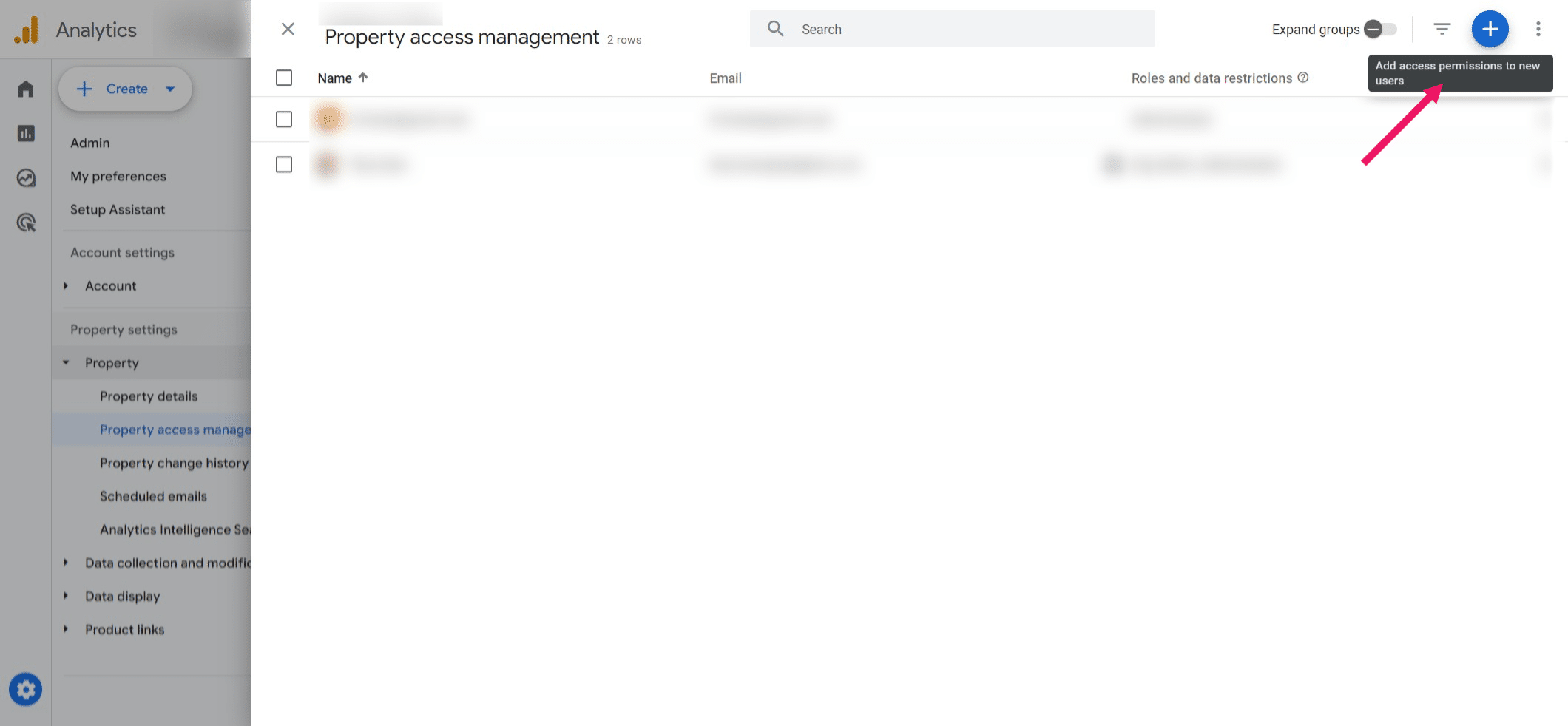
Add users by clicking the ➕ button
6
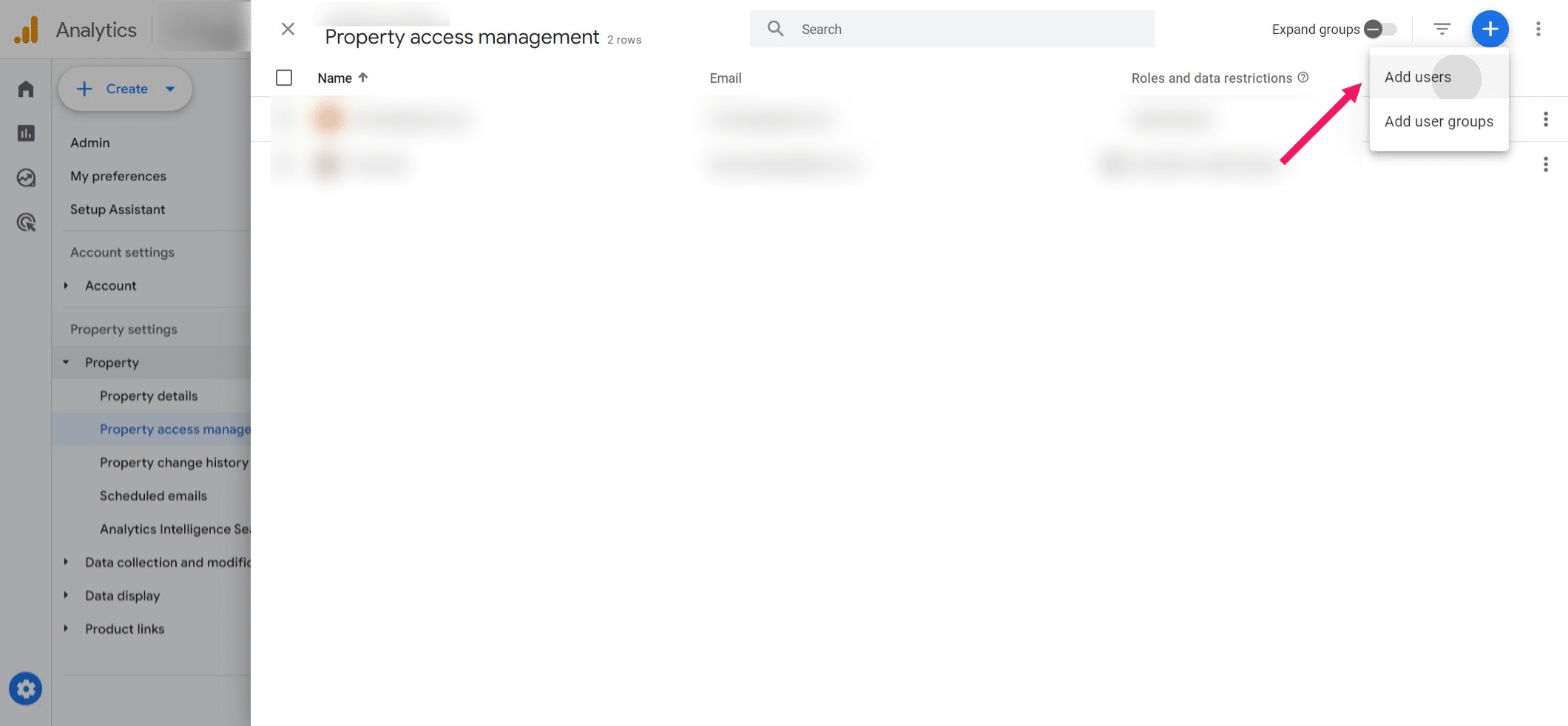
Click on "Add users"
7
Enter the following email address: titus.kam@tydigital.co.nz ➡️ Select "Administrator" ➡️ Click "Add" to provide access.
 ➡️ Select "Administrator" ➡️ Click "Add" to provide access.](https://assets.guidejar.com/uploads/eb8fc6b1-ed1c-4207-82c3-ea265c0cc8f7/HHJ98SzsRqdSdgVtF855aPtSh3Y2/adbd36b2-db47-4423-a923-70c0be319771/1712361508249.jpeg)
8
Done 🚀