
Granting access to Google Merchant Center (eCommerce clients only)
Granting access to Google Merchant Center is vital for controlling and enhancing your product listings across Google, allowing for the optimisation of product information and the strategic use of Shopping ads to boost visibility and sales through your Google Ads campaigns.
Apr 06, 2024●
This guide only applies to eCommerce clients. If you sell products online, we will need access to your Google Merchant Center account.
1
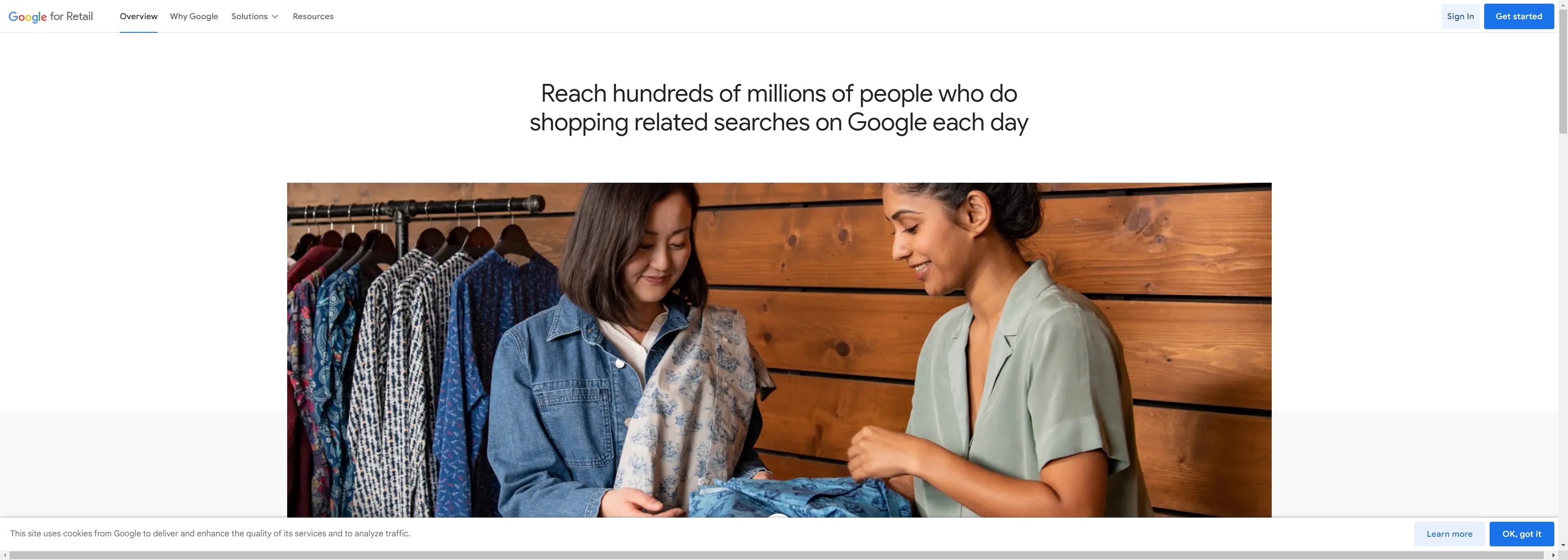
Navigate to https://www.google.com/retail/
2
Click on "Sign In"

3
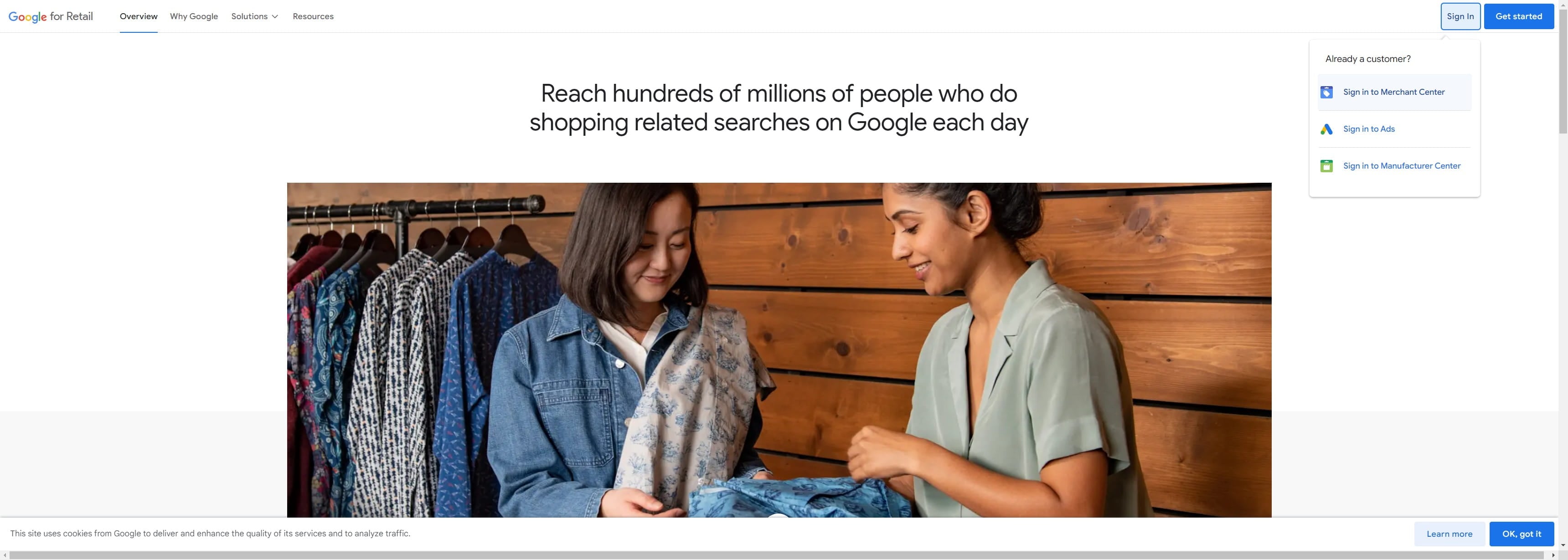
Click on "Sign in to Merchant Center"
4
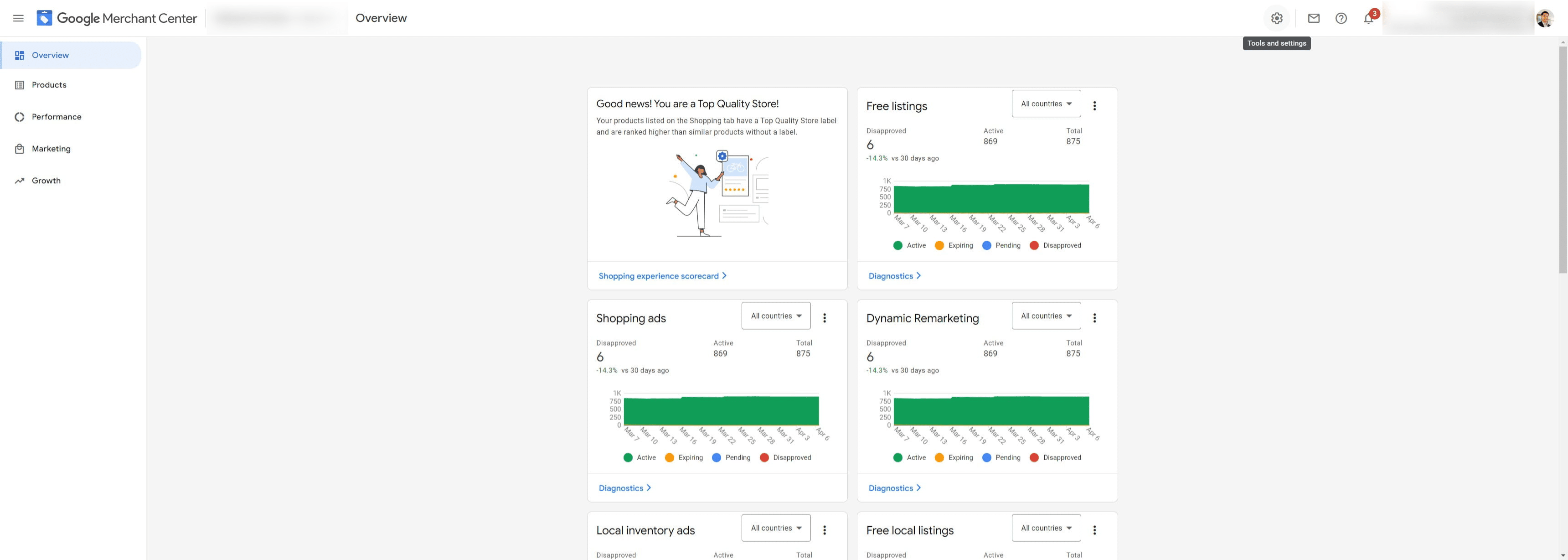
Click here ⚙️
5
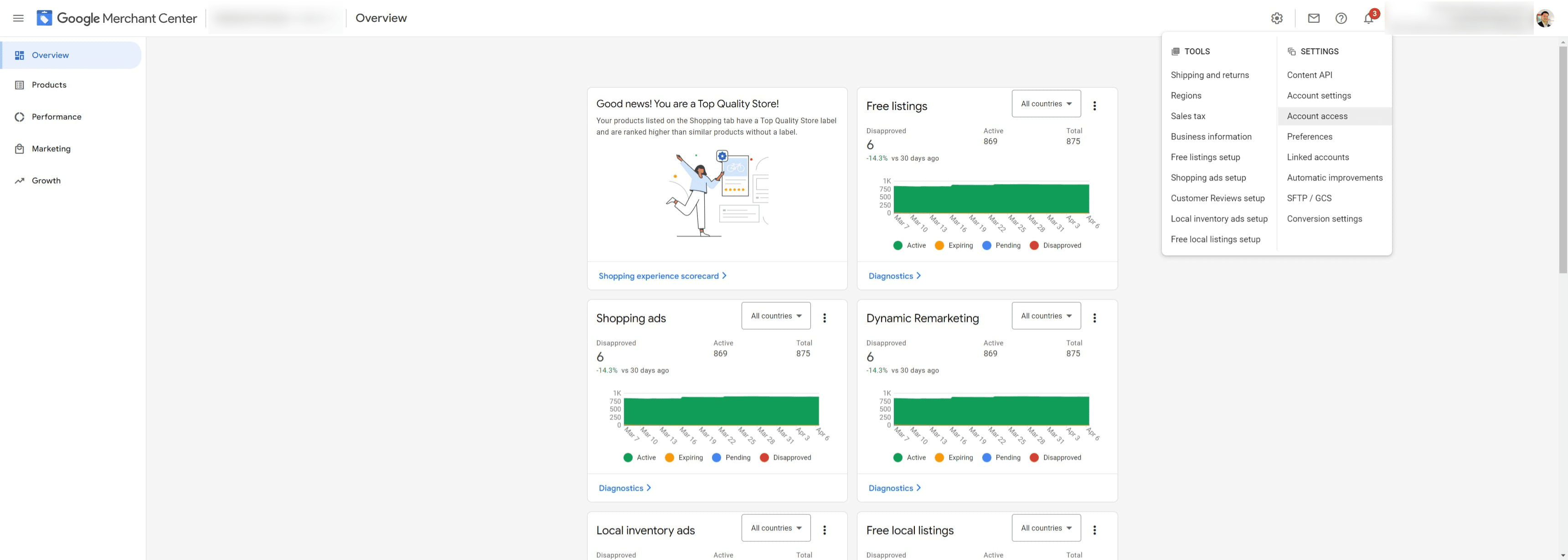
Click on "Account access"
6
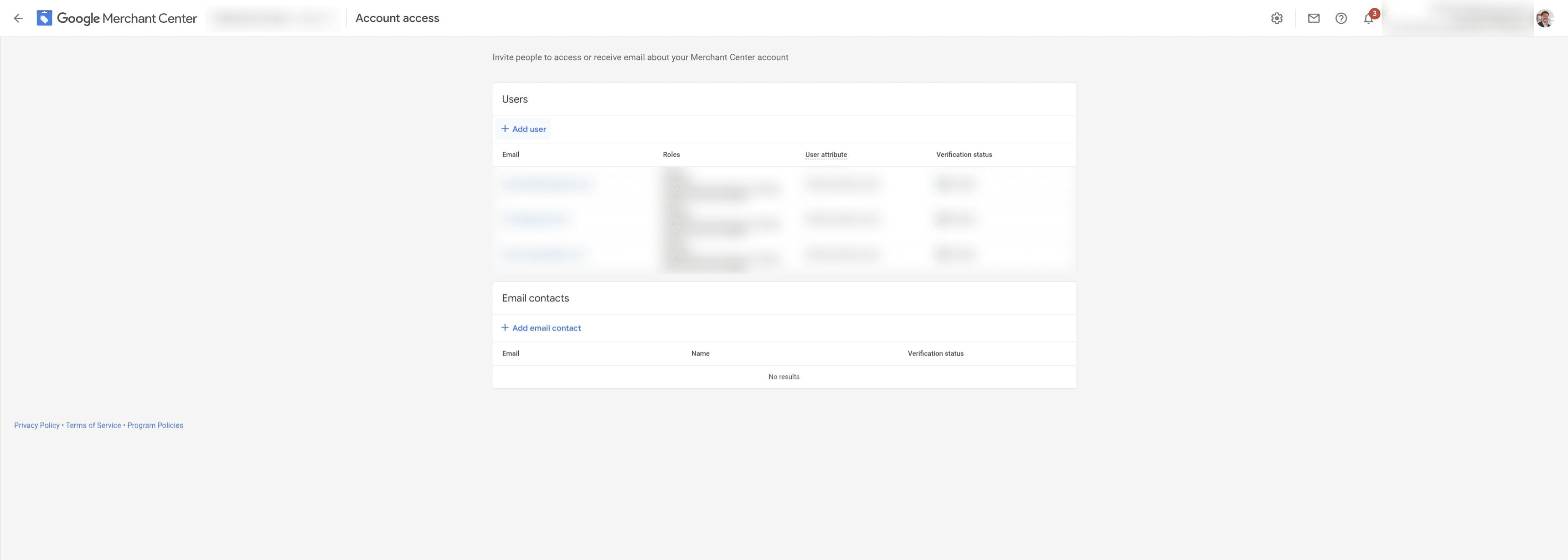
Click on "Add user"
7
Give access to titus.kam@tydigital.co.nz and click "Add user"
 and click "Add user"](https://assets.guidejar.com/uploads/8bc31ec2-e497-4512-9c44-4df19609477b/HHJ98SzsRqdSdgVtF855aPtSh3Y2/a6c966c2-444d-4185-a064-dc7d3509dea6/1712371384190.jpeg)
8
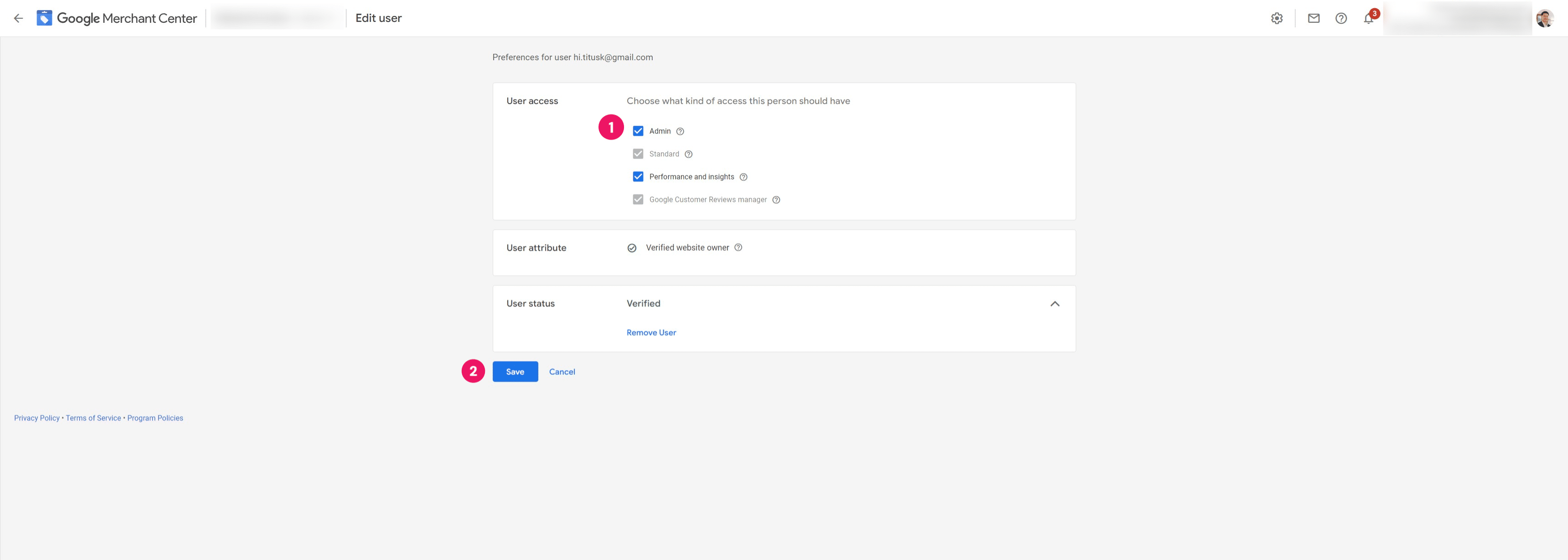
Provide "Admin" access and click "Save"
9
Done 🚀